
October 7, 2026
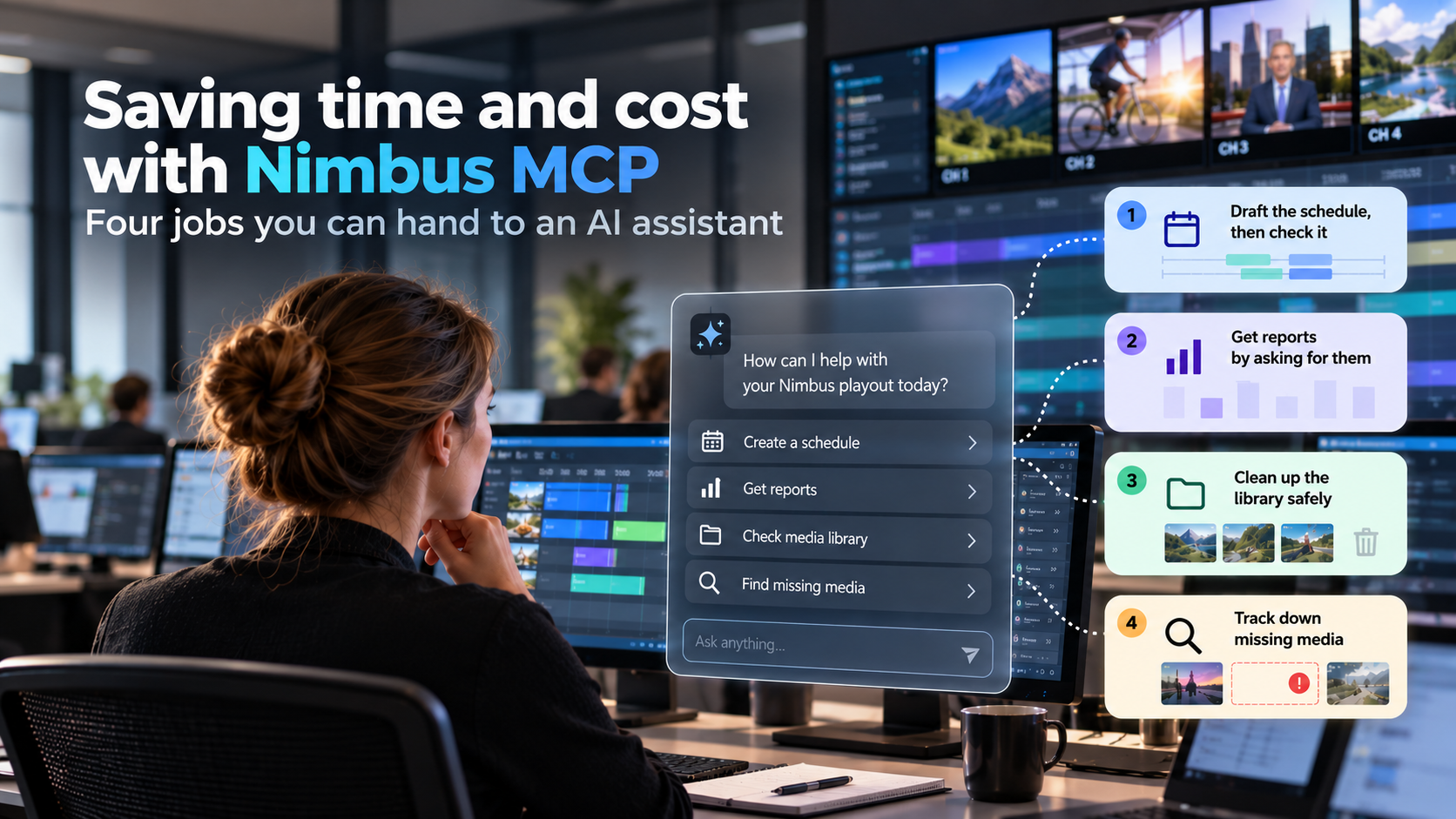
Every playout team has work that is necessary but repetitive: building next week's schedule, pulling as-run logs for a client, chasing files that haven't arrived, working out which old assets are safe to delete. None of it is difficult. It takes hours each week, and it usually falls on the same few people.
Veset has released a major update to the Nimbus MCP server. MCP (Model Context Protocol) lets an AI assistant such as Claude work directly inside a Nimbus account. The assistant can read schedules, library content, channels and playouts, and make changes when instructed. The update extends MCP to cover most of the tasks operators would normally do by clicking through the Nimbus interface.
Here are four practical jobs that teams can start handing over now.
A scheduler can give the assistant an instruction in plain language, for example:
"Build Channel 2's schedule for next week from the same template as this week. Swap in the new episodes of the cooking series, keep the ad breaks where they are, and tell me about any gaps or overlaps before you apply it."
The assistant builds the draft, runs Nimbus's own schedule validation, and reports any problems before anything is applied. The scheduler reviews, adjusts and approves.
This doesn't replace a scheduler's judgement. It handles the repetitive part of the work, so schedulers can focus on the decisions that need their experience. For channels with a regular weekly pattern, this means one person can manage more channels than before.
Reports no longer require exports, spreadsheets or waiting for someone with the right login. Operators can simply ask:
"Give me yesterday's as-run for Channel 1 as a CSV."
"How many emergency alerts did we have across all channels in the last 7 days, and what were they?"
"Who changed the output settings on Channel 3 yesterday?"
A morning check request returns a short summary of what's on air, what failed overnight, and what needs attention today.
Every media library collects old promos, duplicates and files nobody remembers uploading. Cleaning it up is risky, because it's hard to be sure what is still scheduled.
"Find all assets tagged 'promo-2025' that aren't scheduled on any channel, and list any with QC problems."
The assistant checks every channel's timeline before suggesting anything for deletion. The final decision stays with the team.
"Which programmes scheduled in the next 10 days don't have media yet, and what's sitting stuck in the ingest queue?"
The result is a single list sorted by air date, ready to send to content suppliers. If email or a shared drive is also connected to the assistant, it can check those for the missing files too. Uploading and graphics still happen in Nimbus as usual: MCP finds the gaps, it doesn't fill them.
The assistant only has access to what the connected Nimbus user has access to. Teams choose read-only or read-and-write access when connecting, and every change the assistant makes is recorded in the Nimbus audit log, just like a change made by a person. A sensible starting point is read-only reporting, adding write access once the team is comfortable with how it works.
Nimbus customers using Claude or another MCP-compatible assistant can set up the connection in a few minutes: add Nimbus as a connector, sign in, and choose permissions.
To see Nimbus MCP working on your own channels, contact Veset to arrange a 30-minute session. Bring the task your team likes least, and we'll try it live. Not a Nimbus customer yet? We're happy to show it on a demo channel.


